|
I made this fountain because someone on the Pie Bulletin board asked if anyone had ever made
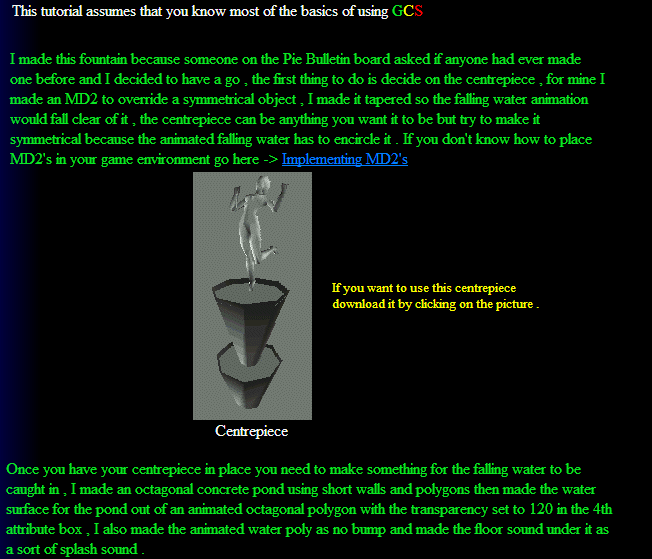
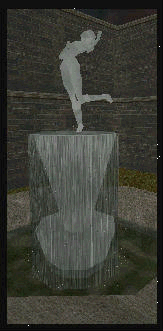
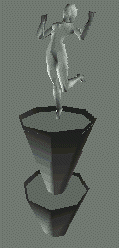
one before and I decided to have a go , the first thing to do is decide on the centrepiece , for mine I made an MD2 to override a symmetrical object , I made it tapered so the falling water animation would fall clear of it , the centrepiece can be anything you want it to be but try to make it symmetrical because the animated falling water has to encircle it . If you don't know how to place MD2's in your game environment go here -> Implementing MD2's |
|
Make a fountain .
|
|
Centrepiece
|
|
Once you have your centrepiece in place you need to make something for the falling water to be
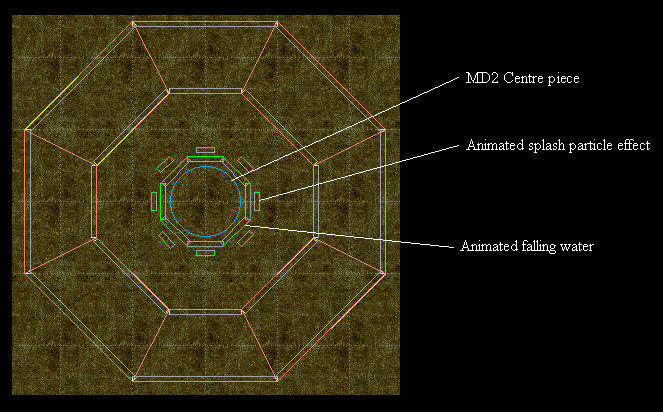
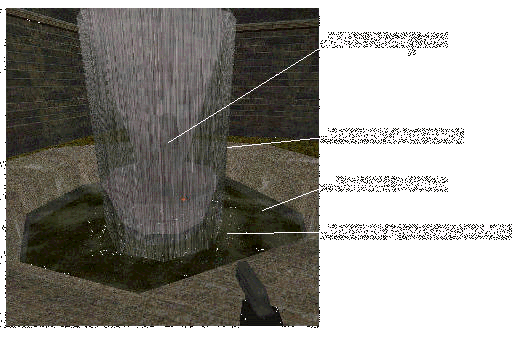
caught in , I made an octagonal concrete pond using short walls and polygons then made the water surface for the pond out of an animated octagonal polygon with the transparency set to 120 in the 4th attribute box , I also made the animated water poly as no bump and made the floor sound under it as a sort of splash sound . |
|
This tutorial assumes that you know most of the basics of using GCS
|
|
For the falling water you will need to make an animated wall , the one I made is only 2 frames , frame 0 is
VBRUSH4.VGR and frame 1 is VBRUSH5.VGR out of the BASICLIB , both frames are SHP WALL and are 100X500 , frame 0 command is goto frame 1 with no delay and frame 1 command is goto frame 0 with a 150 delay , place the animation in the level 8 times and encircle the MD2 centrepiece with them , you will find that the animations on an angle will work out to be 106 wide instead of 100 . When you have placed them put a transparency value in the 4th attribute box ( I used 130 )
For that little bit extra I made a particle animation for water splashes and also made another animation that
loops a running water sound . To make a particle animation make an animation of 2 frames , you can use any picture you want but try to make it quite small , make frame 0 command to set Universe reg 228 to a value that matches the particle you want to use , for example if you want to use particle 31 from your particle text you would set UReg228 to value 31 , frame 1 command is just got frame 0 , when you place the animation in your level set it as no bump and no draw , that way only the particle will be visible and not the pictures you used , lastly I put another animated octagonal polygon on top of the animated falling water walls , I set it so the player could stand on it so it gives the centrepiece a more solid quality . |
|
If you want to use this centrepiece
download it by clicking on the picture . |
|
bottom of page
|